Site
Sip the whole sea through a straw. Free in your browser.
Filling the ocean… Drink the Ocean is loading from Playgama.
Unofficial fan page. Drink the Ocean is by Pinidi Studio and plays here through Playgama's embed. Best in landscape; press Tab to free your mouse.
Surface
Drink the Ocean is one loop repeated until the sea is gone: drink, press, shop, and eventually pull the plug. Each lap leaves the water a little lower.
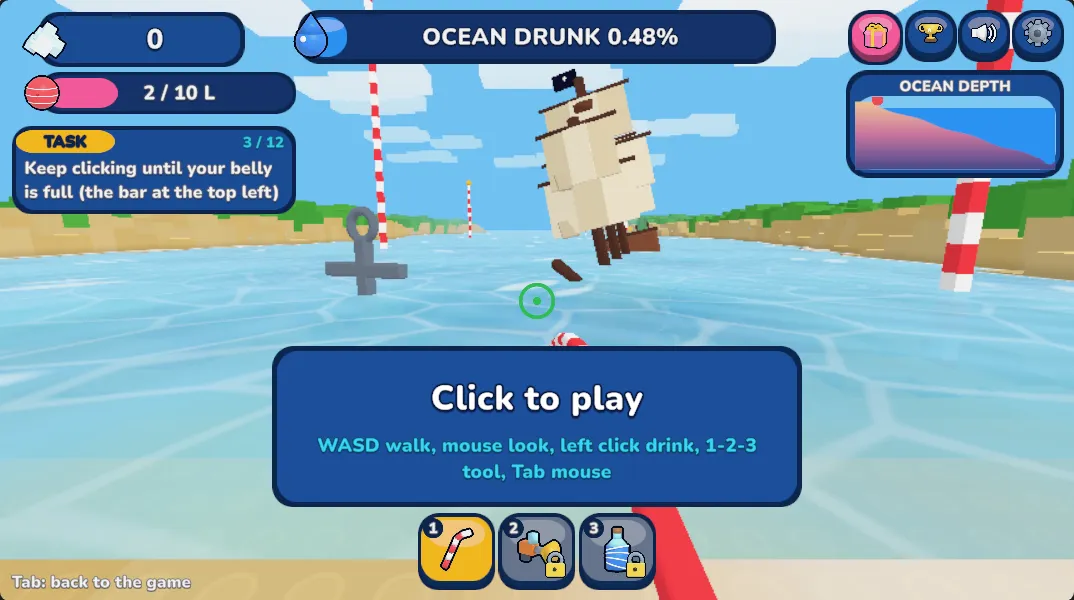
Walk to the water's edge and drink through the straw. Left click on a computer; hold the DRINK button on a phone.
When your belly is full, stand under the PRESS on the beach. It squeezes the water into salt.
Step onto the blue SHOP pad and spend salt on upgrades and new tools.
Keep draining until you reach the plug on the ocean floor. Pull it to launch a stronger new ocean.
Shipwreck
Drink the Ocean is a blocky first-person simulator in which you empty the sea one gulp at a time. You get a straw, a beach and an entire ocean, and the only goal is to lower the waterline until nothing is left.
It plays like an incremental game. Water is not worth anything until you carry it to the PRESS and turn it into salt, and salt buys the things that let you carry more water on the next trip. The numbers start small and grow with every upgrade.
What keeps Drink the Ocean from being a plain clicker is the seabed. As the level drops, things that were hidden under the surface come into view, so the reward for a long session is seeing what the next few metres uncover.
Whale skeleton
Drink the Ocean uses standard first-person controls on a computer. These are the keys given on the game's Playgama listing.
On a phone or tablet the game shows touch controls: drag the pad on the left to walk, hold the DRINK button to drink, and tap JUMP to jump. The tool slots along the bottom switch tools.
The game is made for landscape. Turn the device sideways and tap Fullscreen under the player so the game fills the screen.

Sunken city
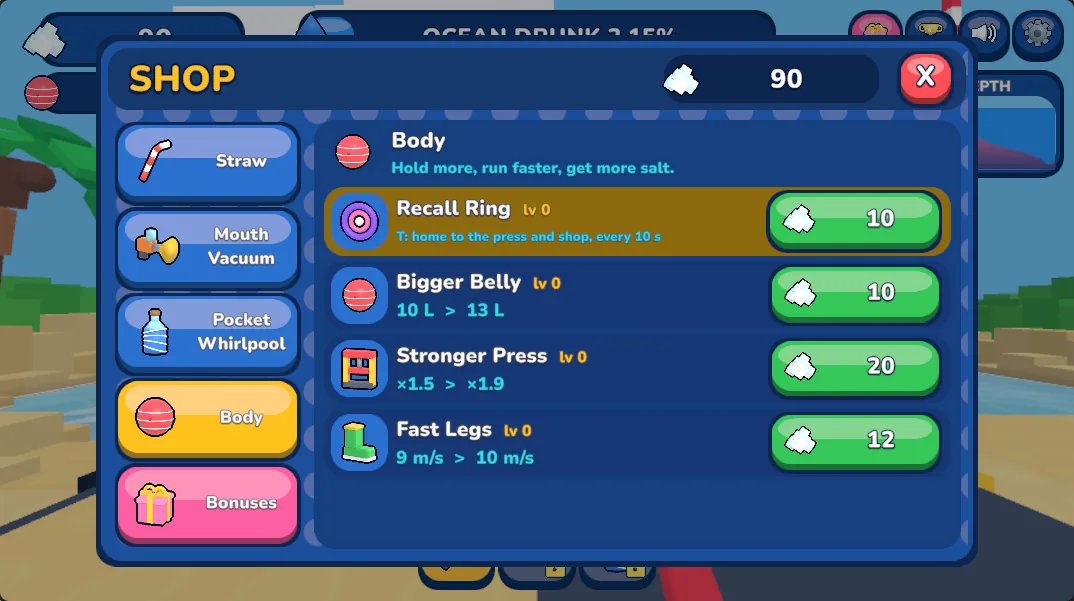
Everything in the shop is paid for with salt. The Playgama listing names four things you can buy on the blue SHOP pad.
The plug
Yes. Drink the Ocean opens in your browser on this page at no cost and without an account. The game runs inside Playgama's player, which may show its own ads.
No. There is nothing to install. Press Play, wait for the loading screen to finish, and the game appears in the same box on this page.
Yes. The Playgama listing gives PC, Android and iOS as supported platforms. The game is built for landscape, so turn your phone sideways and use the Fullscreen button under the player. On a phone you hold the on-screen DRINK button instead of clicking.
The version on this page is listed on Playgama with Pinidi Studio as the developer, released in November 2026. This website is an unofficial fan page and has no connection to the developer or to Playgama.
No, they are two different games that share a name and a premise. Mana publishes its own Drink The Ocean at mana.gs; that site describes it as designed for desktop and lists it for 1 to 4 players. The game embedded here is the single-player version from Pinidi Studio that also runs on phones.
Drink until your belly is full, then walk under the PRESS on the beach. The PRESS squeezes the water out of you and leaves salt, which is the only currency in the game.
You reach a plug at the bottom. Pull it and you start over with a new, stronger ocean. The choices are cola, lemonade, slime and lava.
Saving is handled by the Playgama player, not by this website, and we have not confirmed how long it keeps a run. Do not count on progress following you to another device or surviving a cleared browser.
We cannot promise that. This page loads the game from playgama.com, so it only works on networks that allow that address. If the player stays on the loading screen for a long time, the network is probably blocking it.
Playgama lists 16: English, Russian, Spanish, Portuguese, French, German, Italian, Turkish, Polish, Dutch, Indonesian, Vietnamese, Ukrainian, Japanese, Korean and Chinese.
Give the loading screen a little time first; it is a 3D game. If nothing appears, reload the page, try another browser, or switch off an ad blocker for this page, since the player is served from playgama.com.
Press Tab. The game captures the mouse so you can look around; Tab frees the cursor so you can reach the buttons under the player.
Seabed
Which ocean did you pick after the first plug? Leave a note for the next player.
Site